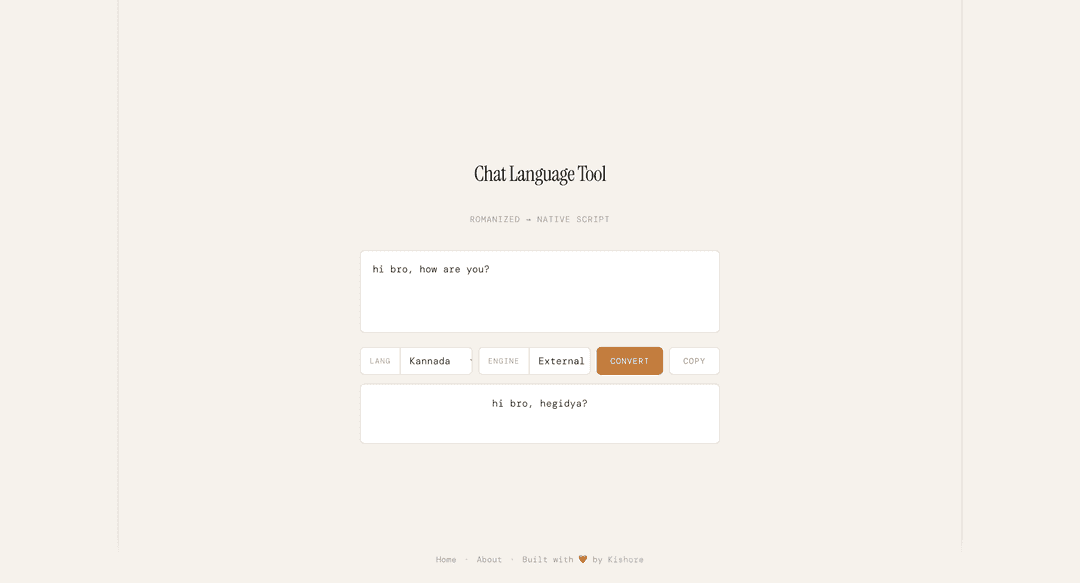
Chat Language Tool
A premium, casual chat language transliteration engine designed for digital communication. This tool allows users to type in Romanized script (English letters) and instantly convert it into native scripts like Kannada, Hindi, Telugu, Tamil, and Malayalam.
Key Features
- Context-Aware Transliteration: Optimized for casual spoken styles and informal chat (WhatsApp-like nuances).
- Dual Conversion Engines:
- Local Engine: Optimized for maximum speed and offline-first performance.
- External AI (Gemini): High-quality, context-aware translation using the
gemini-3-flashmodel.
- Multilingual Support: Support for 5 major Indian languages.
- Modern UI/UX: A sleek, minimal design with premium typography and full mobile responsiveness.
- Fast Interaction: Support for
Meta + Enter(Mac) orCtrl + Enter(Win/Linux) to trigger translation.
Tech Stack
Frontend (/client)
- React 19
- TypeScript
- Vite
- Axios (API Requests)
- Vanilla CSS (Custom Design System)
Backend (/api)
- Express
- Bun (Runtime)
- Google Generative AI SDK (for External AI engine)
- Cors
Getting Started
Prerequisites
- Bun installed on your machine.
- A Google Gemini API Key.
Installation
-
Clone the repository:
git clone https://github.com/yourusername/language-transliteration.git cd language-transliteration -
Environment Setup: Create a
.envfile in theapi/directory:GEMINI_API_KEY=your_api_key_here -
Start the Backend:
cd api bun install bun dev -
Start the Frontend: In a new terminal window:
cd client
bun install
bun dev
The application will be available at http://localhost:5173.
Design System
The application follows a minimal, "paper-like" aesthetic:
- Font Face:
Instrument Serif(Headers) andDM Mono(Interface). - Colors:
- Background:
#f5f2ec(Beige/Cream) - Accent:
#c17d3c(Terracotta/Amber) - Text:
#1a1814(Dark Charcoal)
- Background:
📄 License
MIT License